


Easy Girl
4.61.69K Reviews
App Specs
- Version
- 3.2.2
- Updated On
- License
- Free
- Downloads
- 500,000+
- Developer
- RinkuStark
- Categories
- Entertainment
- Platform
- Android
Screenshots


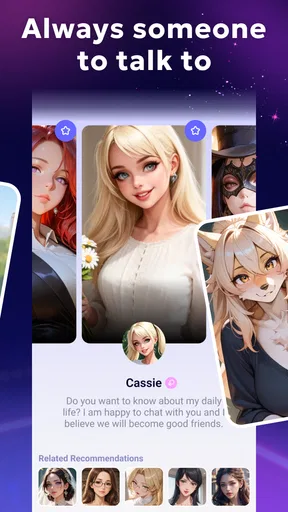

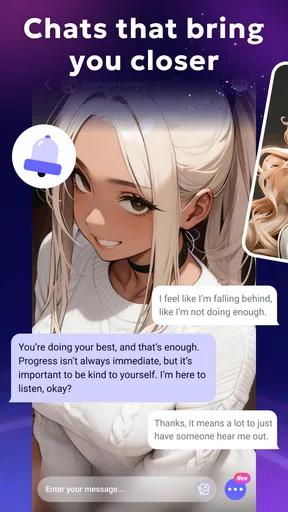
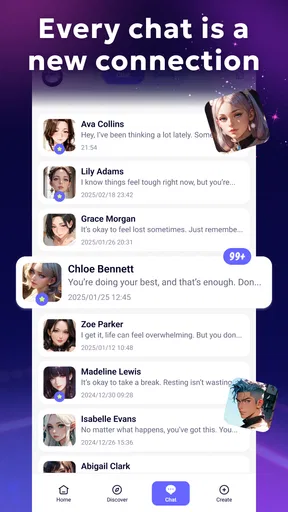
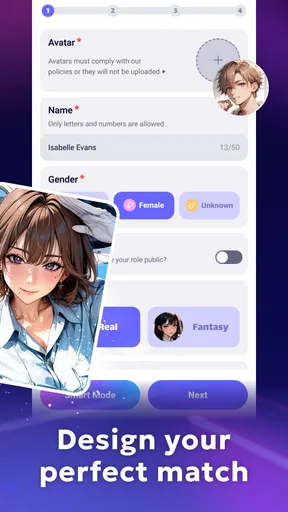
 Analysis by AppCompare
Easy Girl is the kind of entertainment app that needs a little more thought than its short store label suggests. I approached it as an AI companion built for playful, fantasy-focused conversations, but I also kept in mind how easily an app like this can end up on a shared phone or tablet. That matters here because it is aimed at adults, not children, and the experience is better when the person using it has a private space and a clear idea of what they want from an AI companion.
After spending time with it, my impression is mixed in a useful way. The appeal is immediate: you can open it when you want a conversational distraction, experiment with imaginative prompts, and shape the tone around your mood. At the same time, it is not a replacement for a general assistant, a messaging app, or a carefully moderated family entertainment tool. I would recommend it to an adult who wants casual AI fantasy interaction, but I would not treat it as something suitable for everyone in a household.
How Easy Girl fits into a shared-device household
The most realistic household scenario is simple. Imagine one person using a tablet in the evening, while another family member occasionally borrows the same device for videos, games, or browsing. In that situation, the app may be perfectly enjoyable for its intended adult user, yet awkward if opened by someone younger or by a guest who does not know what it is. The mature age rating is therefore not a minor detail; it should guide where the app is installed and who can access the device.
I would keep this app on a personal phone or on a device with a clear adult-only boundary. If a tablet is shared, I would avoid leaving the app open, avoid treating the device as a communal entertainment screen, and make sure the adult user understands that the app belongs to a private conversation category. Those are practical habits rather than app features, but they make a meaningful difference to the experience.
That shared-device question also changes how I judge the app. A private AI companion can feel relaxed when I am the only person using it. The same app can feel uncomfortable when someone else is looking over my shoulder, borrowing the device unexpectedly, or asking why it is installed. Easy Girl works best when its role is understood before anyone starts using it, rather than being introduced casually alongside child-friendly apps.
The app comes from RinkuStark and sits in the entertainment category. It is free to install, which makes trying it straightforward, although optional purchases range from a few dollars to considerably more for individual items. I would not let a shared device become the place where several people experiment with purchases or prompts without agreeing on who is responsible for the account and spending.
What the first session feels like
The central idea is easy to understand: use AI conversation as a form of fun and fantasy rather than as a productivity tool. I found that the quality of the experience depends heavily on how specifically I approached it. A vague opening tends to produce a less distinctive exchange, while a prompt that establishes a mood, setting, personality, or conversational boundary gives the interaction more direction.
Worth Reading Before You Choose

EA SPORTS FC Mobile 26 Is a Bigger Football Game, but It Takes Time

Flipboard Shows What News Apps Must Do Beyond the Feed

Switching to Android Auto Means Rethinking Your Driving Routine

Google Calendar Makes a Crowded Week Easier to Manage

Ludo King Makes the Most of the Minutes Between Plans

Baby Panda World Brings Quick Play to Modern Phones, but Its Game Library Feels Busy
This is one of the first practical lessons I would give a friend. Do not expect the app to create a perfect character or scenario from almost nothing. Start with a clear premise, then adjust it as the conversation develops. If the tone drifts, restate what you want instead of continuing through several unsatisfying replies. That small habit makes the app feel more responsive and reduces the sense that I am simply accepting whatever the system sends back.
I also found it useful to separate short sessions from longer experiments. For a quick break, a simple exchange is enough. For a more involved fantasy scenario, it helps to decide the setting and tone first, then introduce changes one at a time. This keeps the conversation easier to follow and makes it clearer whether the app is actually matching my direction or merely producing entertaining but disconnected replies.
Setting boundaries before anyone else uses it
Because Easy Girl is intended for mature users, setup should include a conversation about boundaries when the device is shared. I would tell other adults in the household what the app is for, who will use it, and whether purchases are allowed. I would also avoid presenting it to a teenager or child as a harmless general chatbot simply because it appears alongside ordinary entertainment apps.
The most important boundary is not technical; it is behavioral. An adult should be the person deciding whether the app belongs on a device that others can access. If the phone or tablet is regularly passed around, a separate personal device is the safer choice. This is especially relevant for households where children know how to open apps, browse recent activity, or continue a conversation that someone else started.
I would also establish a simple rule about interruptions. If someone needs the device, the current user should close the app rather than hand it over mid-conversation. That avoids accidental exposure and prevents another person from replying inside a private interaction. It also helps preserve the feeling that the app is a personal entertainment space instead of a group activity.
Another useful boundary concerns expectations. An AI companion can produce fluent, engaging text, but that does not make it a trusted friend, counselor, or person with real awareness. I would use it for fantasy and amusement, while keeping sensitive personal information out of the conversation. This is good practice with any conversational AI, but it feels particularly important when the app is designed around personal interaction and imaginative role-play.
Coordinating use, spending, and device time
In a household with more than one adult, coordination prevents most avoidable friction. If the app is installed on a shared device, agree on whether it is one person’s account or a jointly used app. Do not assume that everyone wants the same style of conversation, and do not assume that a purchase made by one person will be welcome to everyone else.
The free entry point is helpful because it lets an adult decide whether the concept suits them before spending money. I would use that opportunity deliberately: try several kinds of prompts, see whether the responses remain enjoyable after the novelty fades, and only then consider an optional purchase. The listed purchase range means the cost can become meaningful, so I would treat every transaction as a personal entertainment decision rather than an automatic upgrade.
A good household routine is to keep the app associated with one adult profile or one personal device whenever possible. If that is not practical, at least agree on whose conversations are private and who is allowed to open the app. Clear coordination is more useful than pretending that a shared screen has no boundaries.
Time is another consideration. Easy Girl is designed for open-ended interaction, so it can be tempting to keep refining a scenario long after it stops being interesting. I found that setting a natural stopping point improves the experience. A short session with a clear idea often feels better than leaving the app running while repeatedly trying to rescue a conversation that has lost its direction.
For someone looking for a companion during a quiet evening, that flexibility is a strength. For a family wanting a common activity, it is a weakness. Traditional multiplayer games, family chat tools, or shared streaming apps are better when the goal is participation and coordination. This app is more personal and less suitable for a room full of people deciding together what to do.
Age context and trust
Easy Girl carries a Mature 17+ content rating, so I would take that seriously. The rating places it firmly in the adult entertainment space, and I would not install it on a child’s device or recommend it as a general-purpose chatbot for younger users. A child asking to try it should receive a clear explanation that it is not intended for them, rather than being allowed to explore it out of curiosity.
This is also where trust between adults matters. If one partner or housemate sees the app on a shared device, the best approach is an honest conversation about its purpose. An AI companion can feel more personal than a standard game, so hiding its use can create unnecessary tension even when the user considers it harmless fantasy. I would rather define the boundary openly: private adult entertainment, used by the person who installed it, with no assumption that others should participate.
At the same time, I would not confuse an AI conversation with a human relationship. The app can imitate a conversational presence, but it does not offer the accountability, mutual understanding, or real-world care of a friend. That distinction is important for anyone who is lonely, stressed, or inclined to spend long periods seeking emotional reassurance from software. For light fantasy and companionship-style entertainment, it can be appealing; for serious emotional support, a human conversation or a qualified professional is the better direction.
Privacy-minded users should also keep their prompts measured. I would avoid entering names, addresses, private family disputes, financial details, or anything I would not want associated with an online service. The more personal the conversation becomes, the more carefully I would consider whether the entertainment value justifies sharing that information. This is one of the clearest trade-offs: personalization can make the exchange feel better, but restraint protects the user.
Where it beats ordinary entertainment alternatives
Compared with a standard video app, Easy Girl is more interactive. I am not just selecting something made in advance; I can influence the direction of the exchange and turn a broad idea into a more specific fantasy. Compared with a conventional game, it requires less commitment to rules, levels, or a fixed objective. That makes it convenient when I want something imaginative but do not want to learn a system.
Compared with a general AI assistant, its entertainment focus is more obvious. A general assistant is usually better for planning, factual questions, writing help, or practical tasks. Easy Girl makes more sense when the point is the interaction itself. I would not open it to organize a trip, check a technical problem, or manage household responsibilities. Its value comes from mood, character, and playful conversation.
There is a trade-off against scripted interactive fiction. A scripted story can offer stronger pacing, deliberate plot turns, and a polished ending. Easy Girl offers more room to steer the exchange, but that freedom can also lead to repetition or an unfocused scenario if I do not guide it. Users who want a finished story may prefer a visual novel or narrative game; users who want to improvise may appreciate the conversational format more.
It also differs from ordinary social apps because there is no need to coordinate with a real person before starting. That removes pressure and makes private experimentation easy. However, it also means the interaction lacks genuine reciprocity. I can shape the conversation, but I should not mistake responsiveness for human understanding.
Three practical ways to get more from it
My first tip is to create a small “prompt frame” before starting: define the setting, the desired tone, and what should be avoided. This is more effective than sending a long, tangled explanation. If the conversation begins to wander, repeat the frame in a shorter form. I found that this approach gives the session a recognizable direction without turning it into a chore.
My second tip is to use the app for short creative warm-ups rather than expecting every session to become a complete story. For example, I might begin with a fictional setting and ask the companion to introduce a situation, then continue only while the exchange remains entertaining. Ending early is not failure; it keeps the app from becoming repetitive and makes the next session feel fresher.
My third tip is to keep household and personal boundaries outside the role-play itself. Do not use real family conflicts as material just because the app can respond to them. Invented characters and fictional settings create enough room for experimentation without bringing private relationships into an entertainment session. This is especially valuable on a device that other adults may occasionally handle.
A fourth useful habit is to judge the app after several different moods rather than after one impressive exchange. Try a light conversation, a more structured fantasy, and a deliberately simple prompt. If the experience only works when everything is carefully engineered, that is important to know before paying for optional items. In my view, the best test is whether the app remains enjoyable when I am not trying to force it to perform.
Performance expectations and everyday friction
The current version is 3.2.2, and it supports devices running Android 7.0 or later. That broad compatibility makes it accessible to people who are not using a brand-new phone, but compatibility alone does not guarantee that every older device will feel equally comfortable. Conversational apps are most enjoyable when typing, scrolling, and returning to the exchange feel effortless, so I would pay attention to how the app behaves on the specific device rather than assuming identical results everywhere.
The app has built a sizeable audience, with an average rating of 4.6 from around thirteen thousand ratings and more than five hundred thousand installs. Those figures suggest that the concept has found an audience, but they do not remove the need for personal testing. AI entertainment is subjective: one user may enjoy open-ended character interaction, while another may find it repetitive or too narrow compared with a game, video service, or general chatbot.
The main friction for me is the need to guide the experience. Easy Girl is not a passive app that always knows exactly what I want. The user has to provide direction, notice when the tone changes, and decide when a session has run its course. That is part of the appeal for imaginative users, but it may feel like work to someone expecting instant, perfectly tailored entertainment.
The free price lowers the risk of trying it, yet the optional purchase range deserves attention. I would not buy anything during the first few minutes simply because a conversation feels exciting. I would first decide whether the app has a lasting place in my routine, then set a personal spending limit. On a shared device, I would make that limit a household agreement rather than leaving it to whoever happens to be holding the phone.
Who should use it, and who should skip it
I think Easy Girl is a good fit for adults who enjoy improvisation, character-based conversation, and fantasy scenarios without the structure of a traditional game. It is particularly suitable for someone who wants a private, low-pressure activity that can last a few minutes or expand into a longer creative exchange. Users who enjoy shaping prompts and correcting the tone will probably get more from it than users who want a fixed story.
I would skip it if the main goal is family entertainment, child-safe access, practical assistance, or a shared social activity. I would also skip it if I wanted a polished narrative with reliable pacing, or if I disliked the idea of interacting with an AI companion in the first place. A general assistant is more useful for everyday tasks, while a story-driven game is usually better for structured escapism.
People who are uncomfortable with mature entertainment should not install it on a communal device just to see what it does. The age context is clear enough to make that an avoidable mismatch. Likewise, anyone hoping for a substitute for real companionship should approach cautiously. The app can fill a small entertainment gap, but it should not become the only place someone turns for connection or reassurance.
My household verdict
After using it as an adult entertainment app rather than treating it like a family utility, I see the appeal. Easy Girl offers a flexible way to explore AI-driven fantasy conversation, and its free entry point makes it easy to decide whether that style suits you. The strongest sessions come from users who bring a clear idea, guide the tone, and know when to stop.
My recommendation comes with a firm condition: keep the app within an adult, private boundary. On a personal phone, that is straightforward. On a shared tablet, it requires honest coordination, careful device habits, and a clear understanding that the app is not meant for children or casual group use. The Mature 17+ rating should shape the installation decision from the beginning, not be treated as an afterthought.
For the right adult, this is an enjoyable experiment in conversational fantasy. For a household looking for one app everyone can open together, it is the wrong choice. I would try the free version, test whether the conversations stay engaging beyond the first novelty, and only consider optional purchases after deciding that it genuinely earns a place in my private entertainment routine. In that limited but clearly defined role, Easy Girl is worth exploring.
Pros
- Simple interface that is easy for first-time users to understand.
- Lightweight app that should run smoothly on many Android devices.
- Quick access to its main features without complicated menus.
- Suitable for short
- casual sessions when you have limited time.
- Clear visual design makes navigation comfortable on smaller screens.
Cons
- May feel too basic for users looking for advanced features.
- Some content or tools may require an internet connection.
- The app may offer limited customization options.
- Advertising can interrupt the experience in the free version.
- Privacy details should be reviewed carefully before creating an account.
FAQs for Easy Girl
What is Easy Girl, and what can I do with the app?
Easy Girl is generally presented as an entertainment or lifestyle application, but its exact features may vary depending on the version and platform where it is downloaded. Before installing it, review the official store description, screenshots, age rating, and developer information carefully. This helps confirm whether the current version offers the tools, content, or interactions you expect and whether it is suitable for your device and personal preferences.
Is Easy Girl free to download and use?
The application may be available as a free download, although some features, content, subscriptions, advertisements, or in-app purchases could require payment. We recommend checking the pricing section in Google Play or the App Store before creating an account or entering payment details. Also review subscription terms carefully, especially renewal conditions, trial periods, and cancellation instructions, because these can differ by country and operating system.
Is Easy Girl safe for children and teenagers?
Parents should not rely only on the app’s name or promotional images when deciding whether Easy Girl is appropriate for a younger user. Check the official age classification, privacy information, permissions, user-generated content rules, and any communication or social features. If the app allows contact with other users, supervise its use and review account settings, blocking tools, and reporting options before allowing a child or teenager to use it.
What permissions and personal information does Easy Girl require?
During installation or first use, Easy Girl may request access to information such as notifications, storage, photos, location, camera, microphone, or account details, depending on its available functions. Grant only permissions that are necessary for features you actually use. It is also advisable to read the privacy policy to understand how information is collected, stored, shared, and deleted, particularly if registration or profile creation is required.
What should I do if Easy Girl does not work correctly?
If Easy Girl crashes, loads slowly, or fails to provide a feature, first check that your device meets the app’s requirements and that Android or iOS is updated. Installing the latest app version, restarting the device, checking the internet connection, and clearing temporary data may help. If the issue continues, use the developer’s official support channel and avoid downloading modified versions from unofficial websites, which may create security risks.


